
Imagine and Draw: Vision-Guided Design
println("Julia ", VERSION)Julia 1.12.6Overview
Vision-guided design — “imagine and draw” — is a pipeline that turns a plain language prompt into a parametric CAD model the same way a human designer would: first imagine the part (sketch or render it from several viewpoints), then draw it (rebuild it as exact geometry), then verify (compare the drawn part against the imagined views and fix what differs).
Rasmah implements every offline stage of that loop natively:
- a software rasterizer that renders any model from a chosen viewpoint as a silhouette or a shaded, contour-edged “technical drawing” image;
- the classic visual hull reconstruction: many silhouette images of the same object determine the 3D shape up to its silhouette envelope (Laurentini 1994);
- a differentiable silhouette fitter (soft rasterizer, Liu et al. 2019) that optimizes the parameters of a shape so its rendered silhouettes match target images — the inverse-rendering path;
- an image-conditioned generative CAD model: a diffusion model over feature parameters, conditioned on rendered views;
- the BYOK provider calls that close the loop with real vision models —
imagine_designasks a text-to-image provider for the imagined views, anddraw_from_imagesshows them to a multimodal LLM that writes a feature-graph script (interpreted safely byeval_feature_script, nevereval’d).
The intuition behind the geometry side is simple: a silhouette of an object is the set of pixels it covers in one image, and the visual hull is the intersection of the cones you get by projecting each silhouette back through its camera. It is the tightest shape you can prove from silhouettes alone — always containing the true object.
using RasmahRendering the imagined views
The rasterizer works on the same geometry the rest of Rasmah uses. A Camera carries the view direction (azimuth and elevation), the projection (orthographic by default), and the image size; camera_view frames a sphere of a given radius so the model fills the frame.
g = sphere(2.0)                      # the part to "imagine"
cam = camera_view(0.6, 0.4; radius = 3, width = 192, height = 192)
Camera([2.280553325564072, 1.5602104734044366, 1.1682550269259515], [0.0, 0.0, 0.0], [0.0, 0.0, 1.0], true, 0.029687499999999995, 231.76450198781714, 192, 192)render_silhouette answers the occupancy question pixel by pixel — the input to visual-hull reconstruction — while render_view produces a shaded grayscale image with darkened contour edges, the “technical drawing” look the drawing models respond well to. Both return the same Image container the PNG codec round-trips.
mask = render_silhouette(g, cam)
img = render_view(g; azimuth = 0.6, elevation = 0.4, size = (192, 192))
write_png("imagine-and-draw-render.png", img)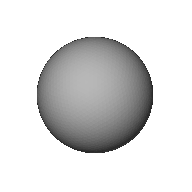
The silhouette of a sphere is always a disk, whatever the viewpoint, and for an orthographic camera its radius in pixels is the sphere radius divided by the camera scale — a check we can make exactly.
n_on = count(mask)
r_px = 2.0 / cam.scale
println("silhouette pixels: ", n_on)
println("analytic disk area: ", round(π * r_px^2, digits = 1))
println("match within ", round(abs(n_on - π * r_px^2) / (π * r_px^2) * 100, digits = 2), "%")
silhouette pixels: 14242
analytic disk area: 14258.1
match within 0.11%Reconstructing the shape: the visual hull
Suppose the imagined views arrived as images with no camera metadata beyond the view directions. visual_hull carves the shape: a voxel is kept when every camera sees it inside its silhouette. The occupancy grid becomes a continuous signed distance (an exact Euclidean distance transform), which marching cubes extracts into a watertight TriangleMesh.
# twelve views on a Fibonacci sphere — full coverage
fib(n) = [(acos(1 - 2 * (i + 0.5) / n), 2π * i * (1 - 1 / 1.61803398875)) for i in 0:n-1]
cams = [camera_view(az, el; radius = 3, width = 64, height = 64) for (el, az) in fib(12)]
masks = [render_silhouette(g, c) for c in cams]

lo, hi = bounds(g)
hull = visual_hull(masks, cams, lo, hi; n = 48)
vtk(hull; edges = true)The hull is guaranteed to contain the object, so its volume must be at least the sphere’s — and with twelve views it should be close to it. This is the verification that the reconstruction is honest.
vh = ustrip(volume(hull))
vs = ustrip(volume(g))
println("visual hull volume: ", round(vh, digits = 2))
println("true sphere volume: ", round(vs, digits = 2))
println("superset (hull ≥ sphere): ", vh ≥ vs, "  (ratio ", round(vh / vs, digits = 3), ")")
visual hull volume: 38.71
true sphere volume: 33.51
superset (hull ≥ sphere): true (ratio 1.155)Fitting parameters to silhouettes: inverse rendering
The differentiable path runs backwards: keep the camera and the silhouettes, and optimize the parameters of the shape until its renders match. The soft rasterizer scores each pixel with a sigmoidal occupancy (smooth, so gradients exist), the frozen-topology marching cubes keep the surface end-to-end differentiable, and a final Nelder–Mead pass polishes against the exact IoU.
Here we pretend the only clue about the part is its silhouettes, and ask the fitter to recover the radius, starting from a wrong guess.
θ, hist = soft_silhouette_fit(
    θ -> sphere(θ[1]),
    [1.6],                          # wrong starting guess
    masks,
    cams;
    epochs = 120,
    lr = 0.03,
    σ = [1.0, 0.5, 0.25],           # coarse-to-fine annealing
)

println("fitted radius:  ", round(θ[1], digits = 3))
println("true radius:    2.0")
println("error:          ", round(abs(θ[1] - 2.0) / 2.0 * 100, digits = 2), "%")
fitted radius: 2.002
true radius: 2.0
error: 0.09%Drawing from images: the feature script
Once a vision model has looked at the images and described the design, the last step is exact geometry. The drawing stage emits a feature-graph script — plain constructor calls — which eval_feature_script interprets through a strict whitelist (no eval, no arbitrary code). This is exactly what draw_from_images runs against a real provider; here we evaluate the script offline.
script = """
base = box(10.0, 10.0, 5.0)
hole = translate(cylinder(2.0, 6.0), 0.0, 0.0, -1.0)
difference(base, hole)
"""

part = eval_feature_script(script)
vtk(part; edges = true)The volume check closes the loop against the analytic value: a box of size 10×10×5 with a through-hole of radius 2 (removing only the part inside the box).
expected = 10.0 * 10.0 * 5.0 - π * 2.0^2 * 5.0
println("script result volume: ", round(ustrip(volume(part)), digits = 2))
println("analytic volume:      ", round(expected, digits = 2))
script result volume: 443.48
analytic volume: 437.17Conditioning generative CAD on images
The native generative models can be steered by views too: image_condition encodes a rendered view into a compact condition vector, and image_conditioned_cad trains the native diffusion model over feature parameters with those conditions — then samples new parameters for a query view.
rs = vcat(collect(1.0:0.05:1.45), collect(2.6:0.05:3.05))
imgs = [render_view(sphere(r); azimuth = 0.5, elevation = 0.3, size = (16, 16), n = 16) for r in rs]

ddpm = DDPM(MLP([66, 48, 1]), 20; cond_dim = 64)
θ, feats = image_conditioned_cad(
    ddpm, 0.01 .* randn(nparams(ddpm)),
    reshape(rs, 1, :), imgs,
    p -> sphere(p[1]);
    epochs = 500, lr = 1.5e-2, seed = 5,
    n = 8, query = 5, log_indices = [1],
)
radii = [ustrip(volume(f))^(1 / 3) for f in feats]
println("query view radius: 1.2  (small cluster)")
println("sampled radii:     ", round.(radii, digits = 2))
query view radius: 1.2 (small cluster)
sampled radii: [1.68, 2.04, 1.78, 2.31, 2.66, 2.32, 1.85, 0.98]The full loop with BYOK providers
With a provider key, the same pipeline runs end to end. imagine_design asks a text-to-image provider for the six canonical views (isometric, front, top, side, detail, and a dimensioned technical drawing); draw_from_images sends them to a multimodal LLM and interprets the returned script; verify_and_refine renders the drawn CAD from the same viewpoints and lets the model critique its own work. The key never touches disk — it goes straight to the provider.
imgs = imagine_design("a lightweight bracket for a bicycle lamp";
    base_url = "https://api.openai.com/v1", api_key = ENV["OPENAI_API_KEY"],
    model = "gpt-image-1", n_views = 6)

part = draw_from_images(imgs, "a lightweight bracket for a bicycle lamp";
    base_url = "https://api.openai.com/v1", api_key = ENV["OPENAI_API_KEY"],
    model = "gpt-4o")

part = verify_and_refine(imgs, part;
    base_url = "https://api.openai.com/v1", api_key = ENV["OPENAI_API_KEY"],
    model = "gpt-4o", iterations = 2)
Next steps
- Text-conditioned CAD — the language side of the same design loop
- Conditional generative design — specification-conditioned diffusion over fields
- Generative CAD: Command Sequences — autoregressive CAD program generation
- Point Clouds: Scan Processing and RANSAC — the reconstruction stack for real scanned geometry
- VTK: Legacy and XML — serializing the reconstructed meshes